Connect Trae to TeamoRouter
New accounts start with a $0 balance — top up before your first request. Top up from $5. If a request returns 402 (400 on the OpenAI format) with "wallet balance is insufficient", your balance is empty — your base URL and key are fine. Top up and retry.
1. Connect to TeamoRouter
If Trae is already installed, add TeamoRouter:
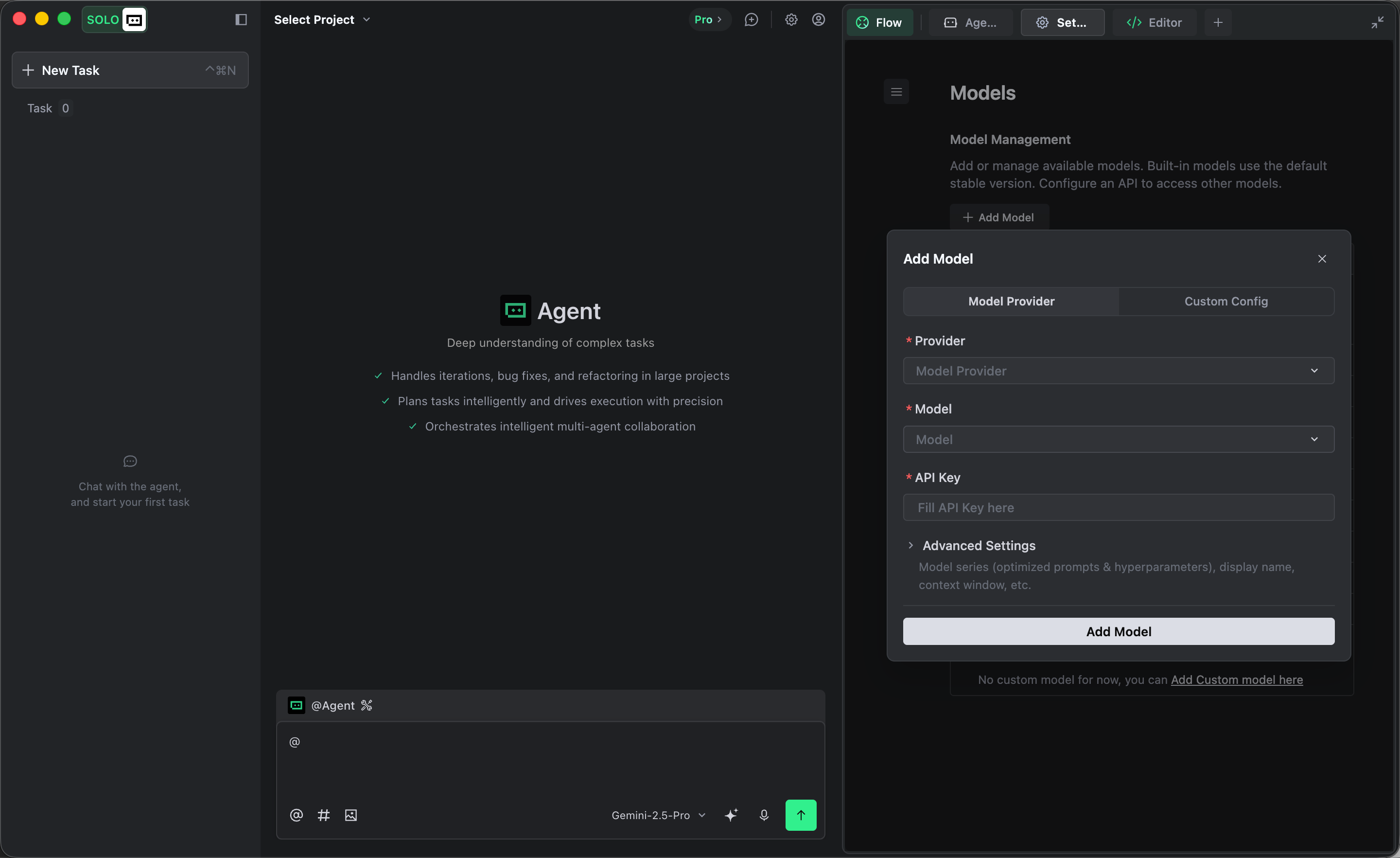
- Open Trae and go to Settings -> Models.
- Click Add model and choose custom configuration in the dialog.
- Fill in the custom configuration form:
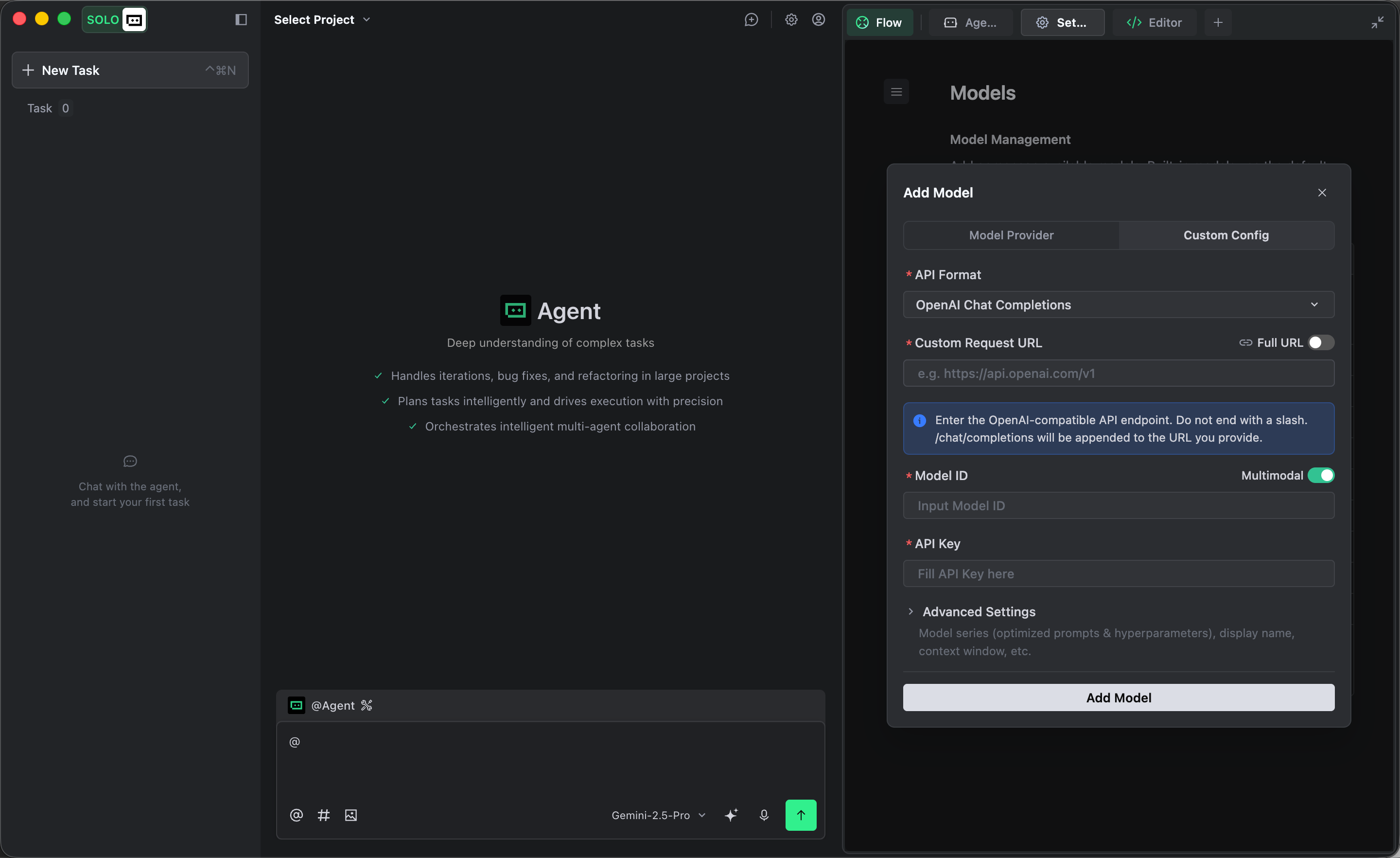
- API format: choose the compatible format that matches the model family you want to use:
| Model families | API format | Request URL with Full URL turned off |
|---|
| GPT, Gemini, DeepSeek, GLM, and Grok | OpenAI Chat Completions | https://api.agentapiai.com/v1 |
| Claude | Anthropic Messages | https://api.agentapiai.com |
- API key: paste the key you created in the TeamoRouter dashboard
- Keep other settings at their defaults
- Add the model IDs you want to use:
GPT9
gpt-6.1-solgpt-6-astragpt-6-solgpt-6-lunagpt-5.6-solgpt-5.6-terragpt-5.6-lunagpt-5.5gpt-5.4
Claude12
claude-opus-5-5claude-sonnet-5-5claude-haiku-5-5claude-fable-5-1claude-opus-5claude-fable-5claude-sonnet-5claude-opus-4-8claude-opus-4-7claude-opus-4-6claude-sonnet-4-6claude-haiku-4-5
Gemini5
gemini-3.8-flashgemini-3.7-flashgemini-3.6-flashgemini-3.5-flash-litegemini-3.1-pro-preview
DeepSeek6
deepseek-flashdeepseek-flash-freedeepseek-v4-flash-vision-expdeepseek-v4-prodeepseek-v4-flashdeepseek-v4-flash-free
GLM4
glm-5.3-flashglm-5.3-flash-freeglm-5.3glm-5.2
Grok1
grok-4.6
- Click Add model to save. Trae will verify your API key. Once verification succeeds, the model appears in the list.
Select the model you added in the chat box and start using it.
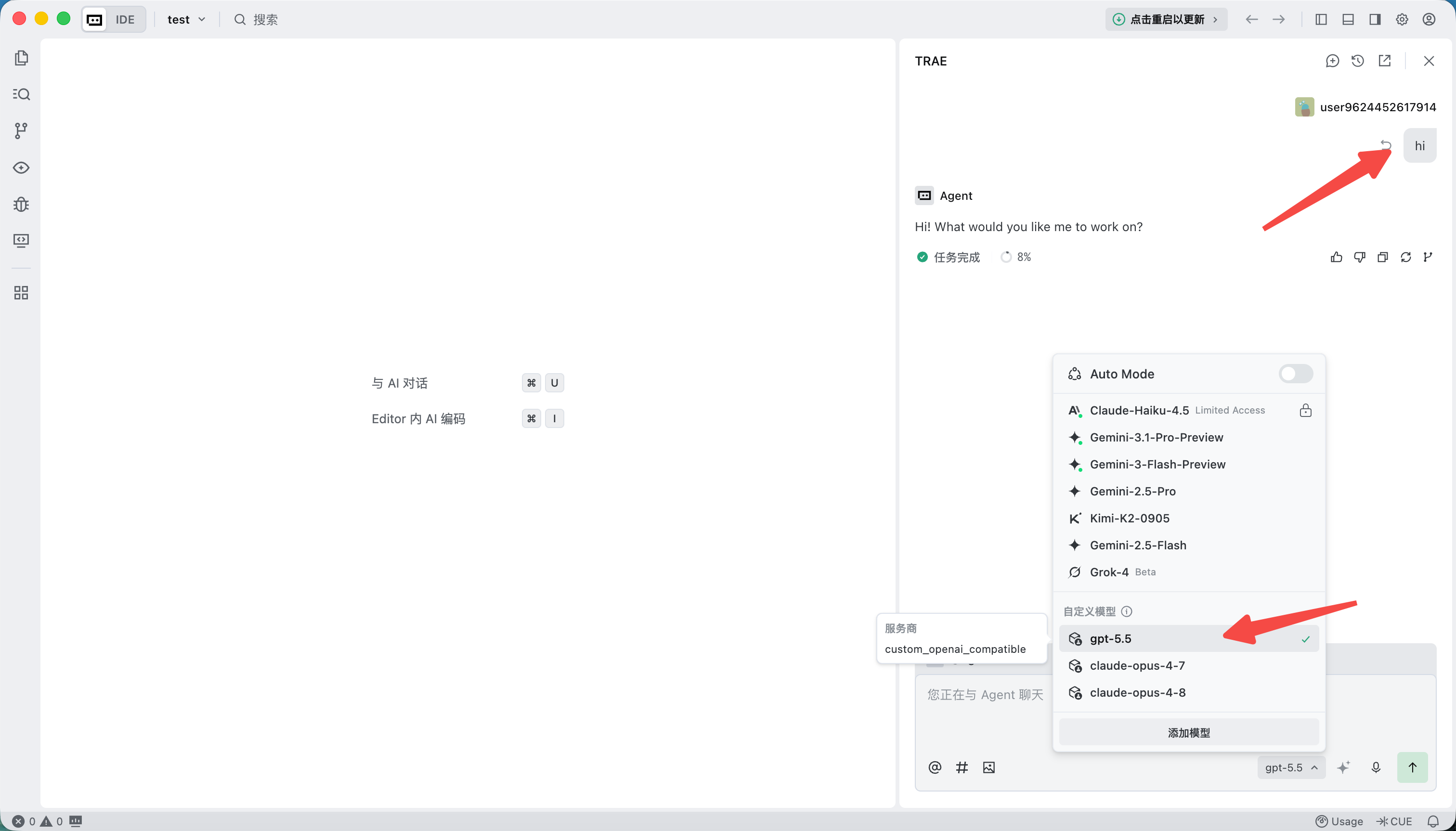
If the model does not work, fully quit Trae and open it again.
Note: Trae adds extra fields to protect its own models. This may cause some third-party models to fail. The error may look like this:

2. Install Trae from scratch
Install or upgrade from the Trae download page, then follow the first section to configure TeamoRouter.
Pay with USDT or USDC
You don't need a credit card to use Trae with TeamoRouter. Top up your balance with USDT, USDC or ETH straight from an exchange app (Binance, OKX and others) or any wallet: click Pay with crypto in the top-up dialog, pick a coin and network, and send. The minimum is $5 (USDT on BEP20), and no browser extension is needed. Step by step: Pay for Claude and GPT APIs with crypto (USDT).